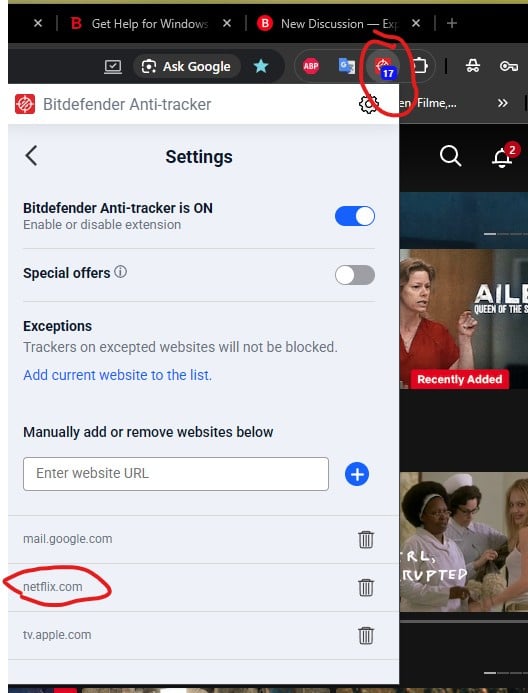
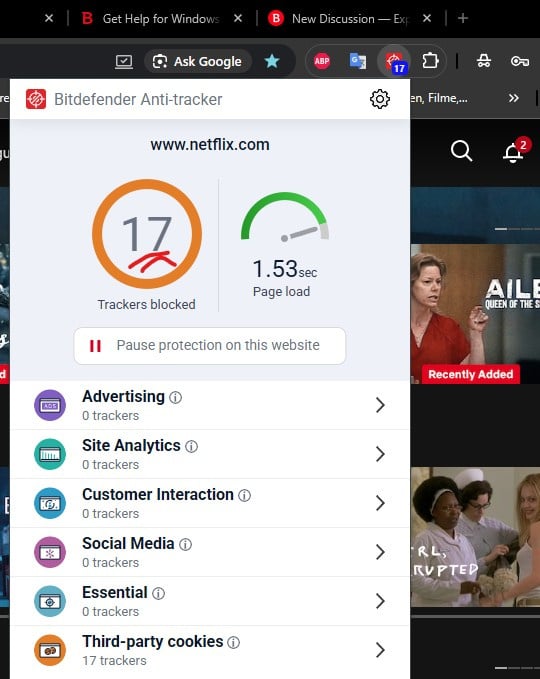
Anti-Tracker Chrome extension seems to be ignoring the site exception list.
Everytime I restart the browser Anti-Tracker re-enables blocking on sites I chose to exclude, although are already in the exception list. Can you not make these permanent?
This behavior seems to be a known issue with the Bitdefender Anti-Tracker Chrome extension. When the browser restarts, the extension sometimes fails to retain saved site exceptions, causing previously excluded websites to be blocked again.
This may happen if Chrome clears local storage or if the extension’s sync permissions are restricted. Try removing and reinstalling the extension, then re-adding your exceptions to see if the data is stored properly. Also, make sure Chrome’s “clear cookies and site data on exit” option is turned off, as it can interfere with saved settings.
If the problem persists, it’s most likely a bug, and you should report it to Bitdefender Support so they can issue an update to make the exceptions permanent.