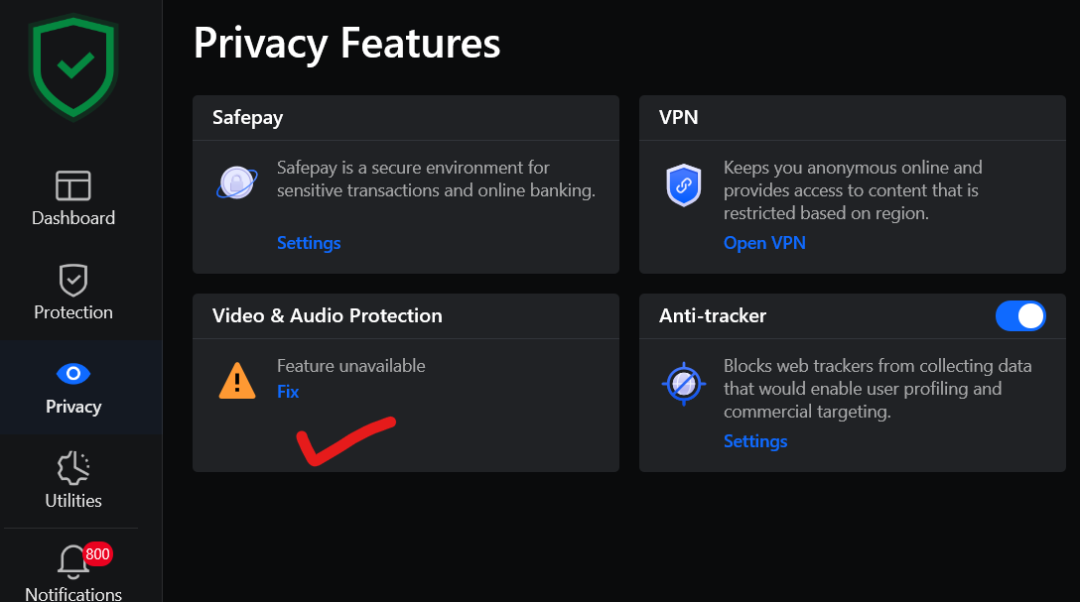
What caused the problem? I clicked "Fix" and it was fixed.
But the same problem keeps occurring periodically.
Hi,
I think there can be several possible causes for that recurring error… So, Bitdefender’s Webcam Protection monitors which applications try to access your camera, blocking unknown or untrusted ones, and letting trusted ones through based on community-chosen rules or manual permissions. If a legitimate app, for example a video call tool, or even OS-level camera usage is not recognized as “trusted,” Bitdefender may block it, which may lead to a camera protection error or webcam not working behavior. But here, the error isn't very specific, so I guess you'll have to take it step by step to find out what's actually going on there. The fact that the error comes back everytime suggests this is not a one-time thing, but likely a persistent conflict or mis-behavior somewhere…
I think it's important to know if you have other privacy, security or camera management tools running, as they may conflict with this module. For example, I remember one case where a user had some camera control software on a laptop that Bitdefender caused to disable the camera whenever Bitdefender was installed, so the issue wasn’t the antivirus per se blocking the camera or returning errors, but the interaction between Bitdefender and that camera control app he was using. Corner-cases may pop up every now and then. Or, it could be that Bitdefender incorrectly classifies a legitimate process as untrusted, causing repeated blocking… To narrow down the cause, I’d start by disabling Webcam Protection temporarily to see if the error disappears, if yes, it confirms Bitdefender is the culprit. If not, then I’d suspect a deeper system-level or driver issue, or interference from another utility.
If you can't get to the bottom of this yourself, then perhaps it's best to contact Bitdefender Support and let them have a look.
Regards
The program was successfully reinstalled.
I want to know the cause of the problem. I'm worried it might be a malfunction in the camera and microphone protection feature.
please help
Gjoksi