Hello,
I added the VPN Premium utility to my basic BitDefender subscription.
At the end of the activation and installation of VPN Premium, I received the following message from BitDefender: “.NET Framework 4.7.2 or later is not present. Please install it to continue.”
I tried to install version 4.7.2, but the system reported that “.NET Framework 4.7.2 is not supported on this operating system.”
The operating system is Windows 8 Enterprise 2012 Build 9200.
In the system folder, I find c:\Windows\Microsoft.NET\Framework\v4.0.30319.
However, using the PowerShell command get-ChildItem “HKLM:\\SOFTWARE\\Microsoft\\NET Framework Setup\\NDP,” I find that version 3.5 is installed and version 4.0 is classified as “deprecated.”
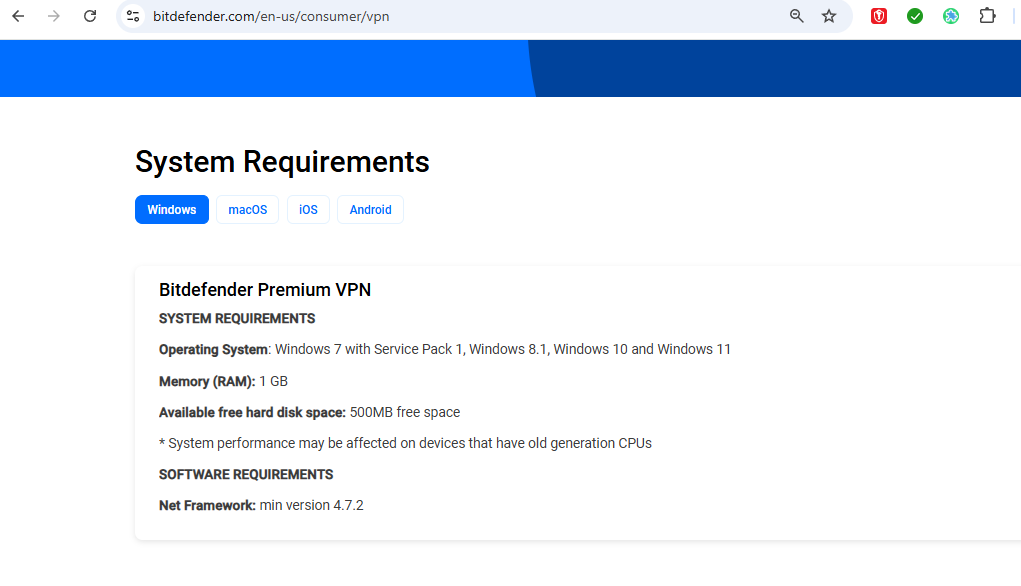
The BitDefender VPN Premium manual on page 10 lists the following system requirements:
Operating systems: Windows 7 with Service Pack 1, Windows 8, Windows 8.1, and Windows 10.
Therefore, I should have no problems installing VPN Premium!?
I also tried the Microsoft .NET Framework Repair Tool suggested by BitDefender Support, but without success. During the repair attempt, a dialog box appeared suggesting that I should repair Microsoft .NET Framework 4.6. but, nevertheless the new folder v6 wasn’t in c:\Windows\Microsoft.NET\Framework\....
Would any of you kindly know how I can bypass this block?
Thank you very much and best regards.
Olindo