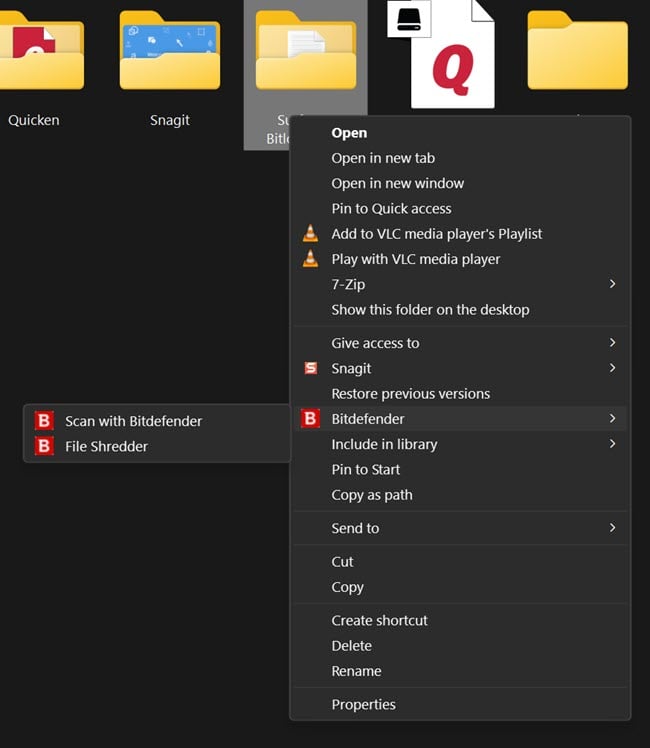
When I want to just scan one item, I right click on it, select bitdefender, and then select "scan with bitdefender", and nothing happens at all. I'm not sure why this is.
Hi @AmIJorge
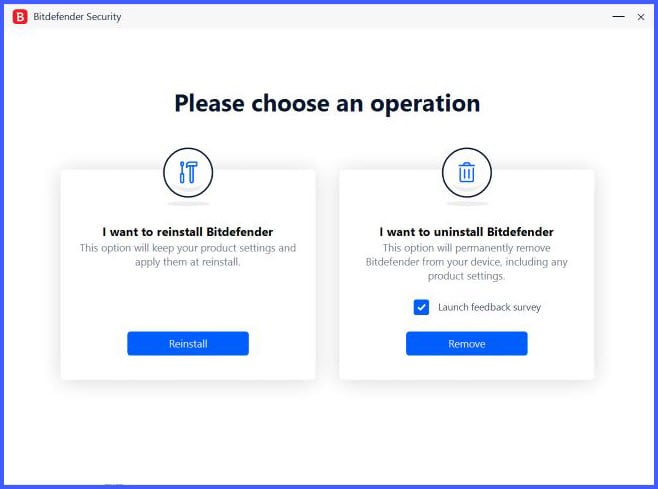
l would try running a repair. In Windows, go to Apps and click on your version of Bitdefender Total Security/uninstall. You'll then be given the pop-up option to reinstall, which is essentially a repair. Run that and it should prompt for a restart. After that, run a manual update from the system tray icon, then give the right-click contextual scan another try.
Let us know your results, in case you need any follow-up help.
Kind regards,
Scott
This seems to have worked, I don't know why I didn't think to do that on my own. Thanks for the help!
Thank you for posting back, AmIJorge, I'm glad it worked for you. But that's why we're here, to help with these things, so no worries :)
Take care
This work for me too. Thx!
Just noticed I have same issue w BD Total Security when I went to scan a downloaded file
Tried automatic deinstallation/re-installation through Win11 app uninstall feature - no change
End result - still unable to use right click to scan specific files. BD TS version 26.0.30.102
Not sure if issue was/is latest Win11 update or BD update.
PC was restarted a few times, no change :(
Anyone same issues?
Tks
Marc C
on windows 11, right click and choose "show more options" click bitdefender and scan from this menu.
lol...it's been so long since I've used the Windows 11 default right-click contextual options, I forgot about the "show more " that I found so annoying that I had to click that, to expand that list. Thank goodness for the ability to get the normal, full list of options to display all at the same time :)